Service is an important part of the library’s mission. Below are a few ways the library serves your community.
Reference and Magazine Desk | Reference Service | Reader’s Advisory | Help with Computers | Scanning | iPods | Book Club-To-Go Kits | Rooms in the Library | Equipment and Technology
Reference & Magazine Desk
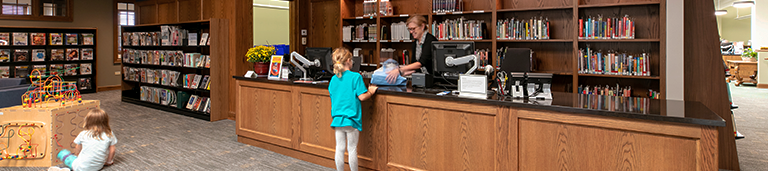
Reference librarians staff the Reference Desk to help you find books, DVDs, and music, as well as to locate magazine articles in our extensive collection of databases. They have a thorough knowledge of our magazines & newspapers and if we don’t carry the article you need, they can get it from another library. There is at least one person at the Reference Desk whenever the library is open. For remote assistance, call 246-0520 and ask for “reference desk” or email us.
Reference Service
Reference librarians are trained to find reliable information for research and study. We are here to help and have an abundant reference collection at our disposal, so please approach the Reference Desk with any kind of question—whether it is to find out who invented Velcro, how to get a passport, or how to fix an oven.
Reader’s Advisory
Librarians have a passion for reading and books and love to be asked about them! Ask for reading suggestions at the Reference Desk. Tell us the most recent book you enjoyed or name a genre—for example, mystery, suspense/thriller, romance, science fiction, etc. See also the Readers’ Nook section of this website for more reading ideas.
Help with Computers
Please ask your questions about the computer software, media players, email, the Internet, or need help doing tasks like uploading a photo. We are happy to help.
Scanning
We don’t have a scanner for public use, but we would be happy to use our scanner in the back and email you a copy of whatever you need.
iPods
In 2006, we added iPod Nanos and iPod audiobooks to our collection. IPod audiobooks have the same lending periods as our books—3 weeks. We load the content for you, free of charge. Interested? Here’s all you have to do:
- Bring your iPod to the Reference Desk—or ask for one of ours.
- If you bring in an iPod other than a Nano, clear its content.
- Please have your iPod charged.
- Choose from our list of iPod audiobook(s). Keep in mind that it has to be “on shelf” in the catalog.
Book Club-To-Go Kits
Looking for an easy way to start a book club with friends or family? Try our Book Club-To-Go Kits. Each kit has within a bag ten copies of a recent highly discussable book and a binder containing reviews, discussion questions, and pertinent book club information. One person checks out the kit for 42 days, distributes the books to club members, and returns the entire kit to the Library. Check our Book Club-To-Go Kits web page for titles and further information.
Rooms
The Community Room and the Board Room may be reserved by TFML patrons for their nonprofit organizations. You may check the Library calendar for room availability. Before requesting a room, please read the meeting room policy (PDF). Request a room online or call Kris Downs at 246-0520.
Board Room (main level; seats 10-15 people)
The Board Room has a large conference table around which 8-10 people may sit; side chairs accommodate an additional 5-7 people.
Community Room (lower level; seats 80 people)
The Community Room is an open space that can be set up in a variety of ways to meet users’ needs. A small kitchen for refreshments/coffee service is located in this room, as well as tables, chairs, a projection screen and equipment, podium, and whiteboard.
Reading Room (main level, east of the circulation desk)
The Reading Room is the quiet area of the Library. Since no talking is allowed here, it’s the perfect spot to read and study. In the wintertime, we light the fireplace. Housed here are the current issues of newspapers and magazines, mysteries, science fiction, and large print books. Curl up in a comfy armchair or sit at a desk with your laptop. This room cannot be reserved.
From microfilm readers to high-speed Internet and wi-fi, the library has the technology and equipment needed to get quick and reliable information. Library staff are happy to help you use any of these resources.
Computers/Internet | Wi-Fi | Copy Machines | Microfilm Reader | Xerox Closed Circuit Magnifier
Computers & the Internet
We have public-use computers in the Adult Services/Reference Department, Teen section, computer lab, and Youth Services department (downstairs).
Computer use in Adult Services is free and open to anyone. There’s a 30-minute time limit if someone is waiting. The teen computers are for young adults and also have time limits if anyone is waiting. In the lab, computers have a two hour time limit and require a library card.
We do not use filtering software and assume no responsibility for the content of the Internet. Children 11 and younger must be with a supervising adult to use the Internet. Children 11-13 may use the Internet independently, as long as they have a signed consent form on file. Parents may fill out this form at the Reference Desk.
There are two stations for Internet and database research in the Youth Services Department. Adults must be with a child in order to use the YS computers, sign an Acceptable Use Agreement, and hold a valid Library card.
Printing is 10 cents per page, and 50 cents for color copies.
We have headphones you can borrow.
All of our computers have:
- Internet access
- Printing capabilities
- Word-processing software (e.g. Microsoft Word)
- Microsoft Excel
- PowerPoint
- Media players like Real Player, Windows Media Player, Shockwave, and QuickTime
- USB ports, enabling you to work with existing data and save your data.
Wi-fi
We have a wireless network with five open access points, so you can surf the ‘net with your laptop anywhere in the building.
Copy Machines
We have 2 copiers available for public use. Our cost is ten cents per page for letter and legal sized copies and twenty cents for 11 x 17 copies. Color copies are 50 cents. Please ask for assistance to get color copies.
Microfilm Reader
We have a microfilm/microfiche reader equipped with a printer for public use. Prints are ten cents per page. Our Western Springs newspapers begin with 1913 microfilm and our Chicago Tribune microfilm covers 1972 through 2003. Ask Reference Staff for assistance with databases to get newspaper articles from microfilms and electronic resources.
Xerox Outlook Closed-Circuit Magnifier
This magnifier displays printed materials on a video screen, allowing for easier reading of small print. Though designed for visually impaired readers, anyone can use it. It’s especially helpful for viewing maps. This magnifier may be found near the Reference Desk.


